mign, Inc.
  • Products▾

    Modes

    • Code Check Reviews drawings and application documents against your chosen set of laws and ordinances. Every finding comes with a cited provision.
    • Checklists Bring your own checklist (CSV/Excel) as it is. The AI judges each item as compliant, non-compliant, or needs review.
    • Site Survey From an address and building conditions, lists every applicable regulation with citations and exports a checklist to Excel. Site information takes about 5 minutes; regulation research 25–45 minutes.
    • Knowledge QA Register internal manuals and technical standards as collections and get cited answers to your questions (PDF/PPTX supported).
    • Explore Ask drawings and documents anything, with the relevant pages highlighted and saved.

    Create & Automate

    • Rendering Generates architectural renderings by transferring the textures and tones of your reference images.
    • Image Studio Ask in plain language for partial edits, replacement, sketch to photoreal, elevation to rendering, outpainting, video, and upscaling. Chain multiple edits and browse a per-case gallery.
    • Style Library Register sets of reference images and call them up — "in this style" — for repeatable production.
    • Workflows Turn sequences like site survey → code selection → drawing review → human approval → notification letter into templates and run them repeatedly.

    Review workflow

    • Review AI drafts, people decide. Filter findings by severity and status, highlight the relevant part of the drawing, and export only approved findings to reports.
    • Re-check Automatically matches revised drawings against previous findings and classifies each as resolved, unresolved, or new. Exports correction notices to Word/Excel.
    • Cases Manage drawings, documents, and run history by case. Filter by tags, bulk-download multiple cases, register merged PDFs, search across cases, and get notified when long jobs finish.

    Accuracy & trust

    • Accuracy Correct/incorrect feedback on each answer and finding feeds directly into accuracy improvement and evaluation, visualized over time. Supports regression testing on evaluation sets with ground truth.
    • Learning Register drawings with their actual review results, and they feed reference cases and evaluation data. The more you use it, the closer it gets to your organization's review standards.
    • Admin Per-case sharing (owner/editor/viewer), role-based feature permissions, account approval, audit logs, SSO, and Japanese/English UI.

    Partner AIs

    • Smart AI Check Run Bureau Veritas Japan's AI checks on mign — automated drawing and plan review across every project phase.
    mign →mign Enterprise →
  • Pricing
  • News
  • Articles
  • Careers
  • About
  • Contact
  • English ✓
  • 中文
  • 한국어
  • Tiếng Việt
  • हिन्दी
  • Español
  • Français
  • 日本語
Enterprise inquiries Start free (Coming soon)
  • Products
    • mign
    • mign Enterprise
  • Pricing
  • News
  • Articles
  • Careers
  • About
  • Contact
Start free (Coming soon) Enterprise inquiries
  • English ✓
  • 中文
  • 한국어
  • Tiếng Việt
  • हिन्दी
  • Español
  • Français
  • 日本語

News

Jun 5, 2025Adopt AI

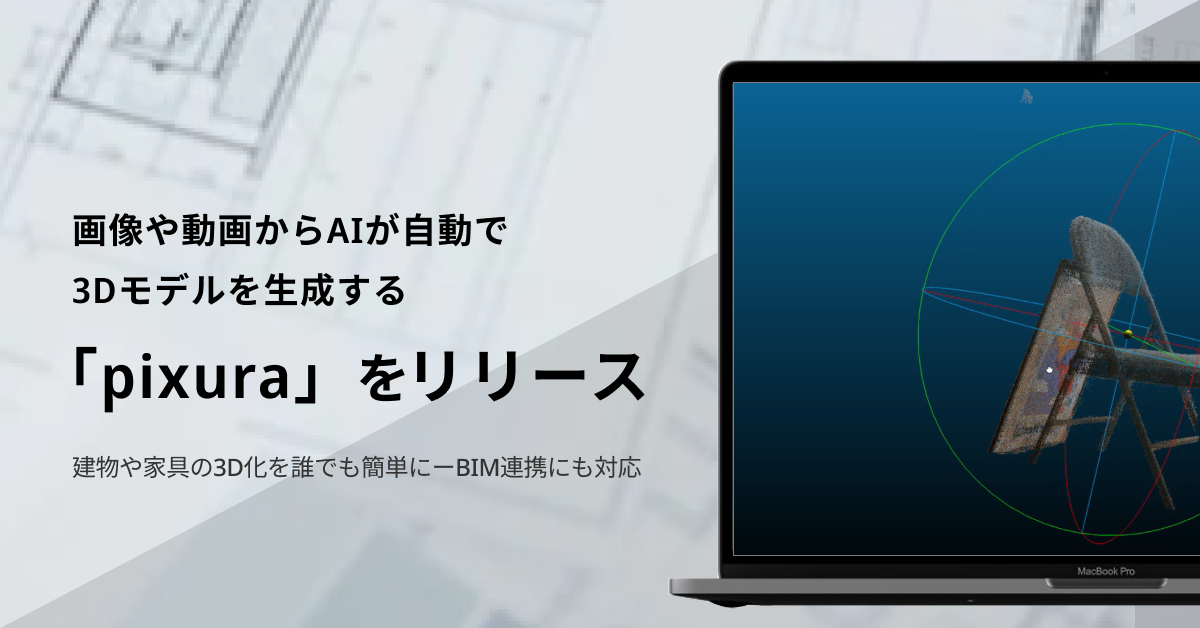
Introducing pixura: Generate 3D Models Automatically from Images and Video

Related link Feature catalog: Image Studio →
mign, Inc.

mign, Inc.

150-0041
10F, 1-6-5 Jinnan, Shibuya-ku, Tokyo, Japan

© 2026 mign, Inc.

Products

  • mign
  • mign Enterprise
  • mign review
  • mign image
  • mign legal check
  • Smart AI Check (Partner AI)
  • Pricing

News

  • All news

Articles

  • All articles

Company

  • About
  • Careers
  • Contact

Legal

  • Privacy Policy
  • Terms of Service
  • Commerce Disclosure
  • Information Security Policy
    • English ✓
    • 中文
    • 한국어
    • Tiếng Việt
    • हिन्दी
    • Español
    • Français
    • 日本語